Best Budget Phones for Seniors in Australia: Simple Buying Guide
A good phone for an older person does not have to be expensive. For calls, texts, photos, the family group chat and a bit of news, a sensible budget smartphone does almost everything most people actually want. The trick is choosing one that is easy to read, loud enough to hear, and simple to set up, rather than the one with the longest list of features.
This guide explains what matters in a budget phone, the models worth knowing about in Australia right now, and where to buy. We avoid quoting exact prices, because they change week to week. Instead we point you to the retailers where you can check today’s price for yourself.
Quick answer
For most older Australians, a Samsung Galaxy A-series phone, such as the A16 or A26, is the easiest budget choice. It has a large clear screen, Samsung’s Easy Mode for bigger text and icons, and it is sold everywhere here, so help is easy to find. The Motorola Moto G family is a good alternative with clean, simple Android. If all someone wants is calls and texts, a Doro phone is built specifically for older users. Buy from a main retailer like Officeworks, JB Hi-Fi, Harvey Norman or one of the telcos so warranty and support are local.
How the main options compare
Most budget phones fall into one of a few groups. The right one depends on what the person wants to do and how confident they feel with a touchscreen.
| What they want | Better fit |
|---|---|
| A proper smartphone for video calls, photos and apps, without paying a lot | Samsung Galaxy A-series (A16 or A26) |
| Clean, uncluttered Android and good value | Motorola Moto G family |
| A phone designed for older users, with big buttons or simple menus | Doro smartphone or easy phone |
| Only calls and texts, nothing more | A basic 4G Nokia, or a flip phone |
What matters most in a budget phone
Cheaper phones cut corners somewhere. The skill is making sure the corners they cut are ones that will not bother an older user, while the things that really matter stay good.
A screen you can actually read
Screen size and brightness matter more than almost anything else. A screen around six inches or larger gives you room to make the text big without everything feeling cramped. Hold the phone in the shop and read a paragraph on it. If it strains your eyes there, it will strain them at home.
Loud, clear sound
A phone is no use if you cannot hear it ring or hear the person on the other end. Most current phones are fine, but it is worth turning the ringer right up and listening before you buy. If the person wears hearing aids, ask whether the phone is hearing aid compatible. Many Samsung and Doro models are.
Battery that lasts the day
Budget phones are often better than expensive ones here, because they have simpler screens that use less power. Any current Galaxy A or Moto G will comfortably last a day and usually two. That matters for someone who forgets to charge, or who keeps the phone for emergencies rather than constant use.
It must be 4G, not 3G
Australia’s 3G networks have closed. A very old or cheap imported phone that only supports 3G will not make calls here, even to emergency services. Any current phone from an Australian retailer is fine. This mainly catches people out with second-hand bargains and phones bought overseas, so it is worth checking before you hand over any money.
Someone nearby who can help
This is the quiet one people forget. The best budget phone is often the same brand as whoever in the family does the helping. If your daughter has a Samsung, a Samsung is easier for her to set up and fix over the phone. Matching the helper’s phone is worth more than a slightly better camera.
The best budget phones for older Australians
Samsung Galaxy A-series (A16 and A26)
If you want a proper smartphone without the premium price, the Galaxy A-series is the easiest place to start in Australia. The A16 sits at the gentle end of the budget range and the A26 a step up, but both do everything most people use a phone for: calls, texts, photos, video calls, email, maps, banking and the family group chat. The screens are large and bright, and Samsung’s Easy Mode makes the text and icons bigger with a couple of taps. They are stocked at Officeworks, JB Hi-Fi, Harvey Norman and through Telstra, Optus and TPG, so you are never far from help or a warranty.
May suit someone who
Wants a full smartphone for staying in touch and seeing the grandchildren, but does not want to spend a lot, and has family on Samsung or Android who can help.
Things to check
Turn on Easy Mode during setup, under Settings then Display. Make the text larger and put the people who matter on the front screen. The phone arrives cluttered with apps, so clear off the ones they will never use.
Plain-English verdict
The safest budget choice for most older Australians. Easy to buy, easy to get help with, and easy to make simple. Our full guide to simple Samsung phones goes into the A-series in more detail.
Motorola Moto G family
The Moto G phones are the main rival to the Galaxy A-series at this price, and they are easy to find at JB Hi-Fi and other electronics stores. The big appeal is the software. Motorola keeps Android close to its plain, original form, with less of the extra clutter some brands add. That can make a Moto G feel calmer and less confusing out of the box. The screens are large and the battery life is genuinely good.
May suit someone who
Likes the idea of Android but wants it kept simple, or whose helper already uses a Motorola or another plain Android phone.
Things to check
Motorola does not have a single Easy Mode like Samsung, but you can still make the text and display bigger under Settings then Display. Set the font size up and turn on larger display size before you hand it over.
Plain-English verdict
A clean, sensible budget phone. Slightly less hand-holding than Samsung for a first-time user, but lovely and uncluttered once it is set up.
Doro, if you want a phone made for older users
Doro is a Swedish company that has made phones for older people for decades. Its phones come in two styles: simple button phones for calls and texts, and easy smartphones with a large, clear menu laid out specifically for older users. In Australia they are sold mainly online, through Doro Australia (doroaustralia.com.au) and retailers like Amazon Australia rather than the big chains, so you will not usually find one to hold in a shop. The trade-off for that simplicity is a smaller choice of apps and a higher price than a basic Samsung for similar features.
May suit someone who
Finds a normal smartphone overwhelming, wants very large buttons or a very simple menu, and does not need many apps.
Things to check
Confirm the model is a current 4G phone before buying, since some older Doro stock is 3G and will not work here. Check the return and warranty terms with the online seller, as you cannot pop into a store.
Plain-English verdict
The most senior-friendly design, but you pay for it and you give up the easy local support of the big brands. Worth it for someone who truly wants a phone stripped back to the basics.
A basic Nokia, for calls and texts only
If the person genuinely does not want a touchscreen, a basic 4G Nokia button phone is cheap, tough and lasts for days on a charge. These are the simplest phones of all. They will not do video calls, banking apps or the family group chat, so be honest about whether that is enough. For many people who just want to ring the family and call for help, it is.
May suit someone who
Has never wanted a smartphone and is not about to start, and wants something cheap and simple that just makes calls.
Things to check
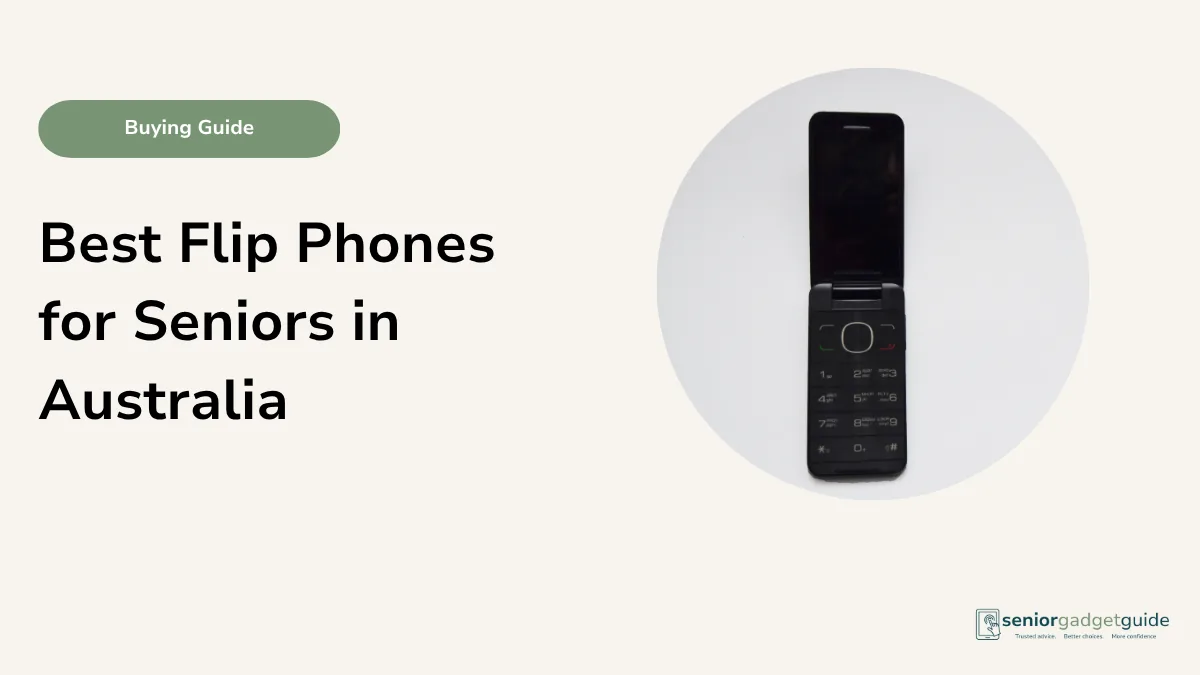
Make sure it is a 4G model, not an old 3G one. If buttons and a familiar shape are the appeal, also look at our guide to flip phones, which open to answer and close to hang up.
Plain-English verdict
Cheap and reliable for calls and texts. Just go in knowing it does only those things.
A word on second-hand and refurbished phones
A refurbished phone can be a sensible way to get a better model for less, and reputable Australia sellers test and warranty them. If you go this way, buy from a seller that offers a clear warranty, and check the phone is 4G and not locked to an overseas network. The risk with a private second-hand sale is that you have no comeback if something is wrong, and no easy way to know the phone has not been reported lost or stolen. For an older person, the peace of mind of buying new from a main retailer is usually worth the small extra cost.
Your rights if something goes wrong
A cheaper phone is still covered by the Australian Consumer Law, and that protection sits on top of any warranty. Any phone bought from a business in Australia comes with automatic consumer guarantees: it must be of acceptable quality, match how it was described, and do what a phone is reasonably expected to do. These guarantees apply no matter what a sign or a salesperson says, and they do not vanish the moment the twelve-month warranty ends.
Your contract is with the shop or telco that sold the phone, not the manufacturer, so if it stops working go back to the seller first. For a major fault you can choose a repair, replacement or refund; for a minor one the seller can choose to repair it. The ACCC website explains these rights in plain terms. This is the real reason buying from a known Australian retailer beats a cheap overseas import: with the import you usually have no easy comeback at all.
Don’t forget the plan: a cheap SIM keeps costs down
On a budget, the phone is only half the saving. A budget phone bought outright takes any Australian SIM, so there is no need for an expensive plan to go with it. Smaller providers, known as MVNOs, rent space on the same Telstra, Optus or Vodafone networks and sell it for much less. For someone who mostly calls, texts and uses a little data, a small no-lock-in monthly SIM or a long-expiry prepaid SIM is usually the cheapest option. Telstra discounts for Pensioner Concession Card holders, and some providers such as Pennytel discount for Seniors Card holders, so it is always worth asking.
Budget phone buying checklist
- It is a current 4G phone, not 3G.
- The screen is large and bright enough to read comfortably.
- The ringer is loud, and the phone suits any hearing aids.
- It matches the brand the family helper uses, where you can.
- You bought it from a main retailer with a local warranty.
- You asked about any Seniors Card or retailer discount.
Setting up a budget phone so it feels easy
The phone is only half the job. Most of what makes a phone feel hard is the setup, not the price. Spend ten minutes before you hand it over and it will feel like a different phone.
- Turn on Easy Mode on a Samsung, or make the font and display larger on any phone.
- Put the people who matter on the front screen, so calling family is one tap.
- Turn the ringer and notification volume up, and remove apps they will not use.
- Set up emergency contacts so help can reach the family quickly.
Before you finish
Download the free Family Tech Safety Checklist to help check phone safety, passwords, scam messages, emergency contacts and medical alarm details.
Best overall budget phone
For most older Australians, the Samsung Galaxy A-series is the budget phone to beat. It is affordable, easy to read, simple to make even simpler with Easy Mode, and sold in every electronics shop and telco in the country, so help is always close. A Motorola Moto G is the better pick if you prefer plain, uncluttered Android. Doro is the answer when someone wants a phone designed from the ground up for older users and does not mind buying online.
Our recommendation
Start with a Samsung Galaxy A16 or A26 from Officeworks, JB Hi-Fi, Harvey Norman or your telco. Turn on Easy Mode, make the text large, and set up the front screen with family and emergency contacts before handing it over. If a touchscreen is not wanted at all, a basic 4G Nokia or a Doro easy phone will do calls and texts beautifully. Always ask about a Seniors Card or in-store discount before you pay.
Next steps
If you are still weighing up what kind of phone suits, our guide on how to choose a phone for an older parent walks through the questions to ask first. For the full range beyond budget models, see our best smartphones for seniors guide and our roundup of simple phones for seniors. Before you buy, it is also worth checking the Seniors Card tech discounts available in Australia. You can find all of our phone advice on the phones for seniors hub.
FAQ: budget phones for seniors
How much should I expect to spend on a good budget phone?
Enough for a current Samsung Galaxy A-series or Motorola Moto G, which sit at the affordable end without feeling cheap. Check today’s price at Officeworks, JB Hi-Fi or your telco, and ask about any Seniors Card discount.
Is a cheap phone going to be slow or frustrating?
Not if you choose a current model from a known brand. The Galaxy A and Moto G handle calls, messages, photos and video calls easily. Most frustration comes from a cluttered setup, not the price, so spend a few minutes simplifying it first.
Why does it matter that the phone is 4G?
Australia’s 3G networks have been switched off. A 3G-only phone, often an old or cheap imported one, cannot make calls here at all, including to emergency services. Any current phone from an Australian retailer is 4G and fine.
Should I buy a phone made specially for seniors?
You can, and Doro makes good ones. But a normal Samsung in Easy Mode is often just as simple, cheaper, and far easier to get help with locally. Senior-specific phones suit people who want the menu stripped right back.
Is it safe to buy a refurbished phone?
From a reputable Australia seller that tests and warranties its phones, yes, and it can save money. Avoid private second-hand sales where you have no warranty and cannot be sure the phone is 4G or has not been reported lost.
What if a cheap phone breaks down?
Take it back to the shop or telco that sold it, not the manufacturer. Under the Australian Consumer Law every phone bought from a business comes with consumer guarantees, so you may be entitled to a repair, replacement or refund, sometimes even after the warranty has ended. The ACCC website explains how it works.